Before we get into clock speeds and CUDA cores, a note on why this guide exists. At ProXPC, we don't sell generic "gaming PCs with more RAM."
Before we get into clock speeds and CUDA cores, a note on why this guide exists. At ProXPC, we don't sell generic "gaming PCs with more RAM." We configure and stress-test workstations against the specific software our customers actually run, including GROMACS, LAMMPS, NAMD, AMBER, MATLAB, and more. Every machine in our Mathematical and Molecular Modeling line is validated, burned in, and shipped plug-and-play with either Windows 11 Pro or the latest Ubuntu with CUDA drivers pre-installed.
So this isn't a list scraped from spec sheets. It reflects what we've learned building systems for people whose simulations need to be done by morning. If you'd rather skip the reading and just talk to an engineer, our team is one call away at 011-40727769. Otherwise, read on. We've tried to make this the most honest GROMACS hardware guide you'll find.
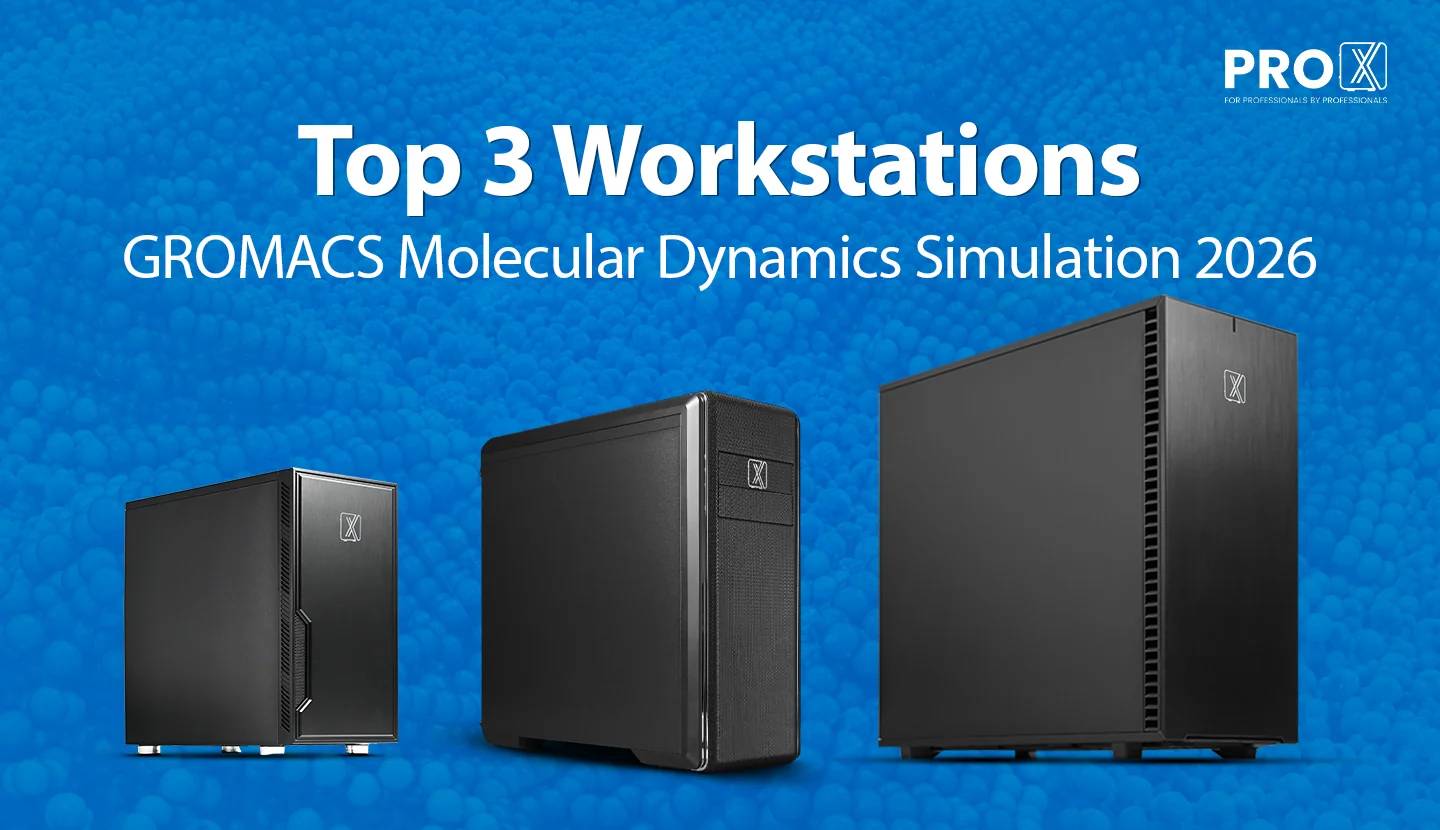
Here are the three configurations we most often recommend for molecular dynamics work. Rather than lead with numbers, we've matched each one to the kind of research it's built for, because the right machine is defined by your workload, not by a spec sheet.
This is the machine for a PhD student, a single-investigator lab, or anyone whose day-to-day is one simulation at a time. Think protein-in-water systems, ligand-binding studies, and standard biomolecular runs that need to finish reliably overnight. It's tuned around the classic GROMACS sweet spot, one strong GPU paired with a fast CPU, so a single well-behaved simulation runs efficiently without paying for capacity you'll never use. If your research is focused, self-contained, and you value a dependable "start it before you leave, review it in the morning" rhythm, this is where most people should begin.
The step up for when a single job at a time no longer matches your pace. This is the machine for labs juggling several MD runs at once, working with larger membrane or fully solvated systems, or leaning on enhanced-sampling methods like replica exchange and free-energy calculations that multiply the number of simultaneous simulations. It gives you the headroom to keep several projects moving in parallel without constantly queuing and waiting. If you find yourself wishing you could run the next experiment while the current one is still going, this tier is built for that reality.
The heavy-duty answer for groups pushing the largest systems and the highest throughput. This is for million-atom simulations, large-scale screening campaigns, and teams that want a single deskside machine to behave like a small in-house cluster, running many concurrent simulations across multiple GPUs. It's the choice when simulation is central to the whole group's output and downtime or queue time is genuinely costly. And if you eventually outgrow even this, our Pro Maestro servers scale beyond a single workstation entirely.
All three come in both Intel and AMD variants from our Molecular Modeling line, and every component is configurable, so the starting point above is just that, a starting point we tailor to your systems and methods.
GROMACS is one of the fastest molecular dynamics engines in the world, and a big reason is that its developers have spent decades hand-tuning it to squeeze performance out of modern hardware. Understanding how it does that is the key to buying the right machine, and to avoiding the expensive mistakes we see all the time.
For the vast majority of GROMACS workloads, the single most performance-defining component is the GPU. Modern GROMACS offloads the most expensive parts of each timestep, namely the non-bonded force calculations, and increasingly the particle-mesh Ewald (PME) electrostatics, bonded forces, and even the update-and-constraints step, onto the GPU. When these run on the GPU, a single strong card can outrun a large multi-socket CPU-only setup.
This is why all three of our recommended builds are GPU-forward. It's also why raw GPU memory capacity matters less than people assume for a single simulation, but matters enormously when you want to run several simulations on one card or handle very large systems.
A common instinct is "more cores = faster simulation." For GROMACS, that's only partly true. Once the GPU is doing the force work, the CPU's job is to keep it fed, handle domain decomposition, run PME (if not offloaded), and manage the parts of the timestep that stay on the host. What helps most here is a balance of strong per-core clock speed and a sensible core count, not the absolute maximum number of cores.
That's exactly why our single-project workhorse pairs a high-boost CPU with a single GPU rather than chasing a huge core count. For one GPU-accelerated simulation, a very high-core CPU can actually sit largely idle. Cores start paying off when you run multiple simulations at once or scale across multiple GPUs, which is precisely the scenario the flagship is built for.
GROMACS is not especially RAM-hungry compared to CFD or FEA. Even large systems rarely need the maximum. What you're really buying memory for is, first, headroom for very large or many concurrent systems, and second, bandwidth to keep multi-core CPU work efficient. Our builds use DDR5 across the board, with capacity scaled to match the workload rather than overprovisioned by default.
MD simulations write trajectory and checkpoint files continuously, and long runs generate a lot of data. We recommend a fast Gen4 NVMe drive as primary/scratch storage (so I/O never becomes the bottleneck on frequent checkpoint writes) plus larger secondary storage for archiving trajectories. Every ProXPC build lets you configure both tiers independently.
An MD production run can go for days or weeks without interruption. A machine that throttles, or worse, crashes on day four, doesn't just lose time. It can corrupt a run. This is where a validated workstation earns its keep. We spec cooling and a high-efficiency PSU sized for sustained full-load operation, and we burn every system in before it ships. It's an unglamorous point, but it's often the real difference between a "workstation" and a repurposed desktop.
To choose hardware well, it helps to picture what GROMACS is doing millions of times per run. Each timestep, it computes the forces on every atom, then updates positions and velocities, then repeats, typically at femtosecond resolution, meaning a microsecond of simulated time is a billion timesteps. Performance is measured in nanoseconds simulated per day (ns/day), and every architectural choice is about maximizing that number.
The force calculation splits into pieces: short-range non-bonded interactions (the biggest cost), long-range electrostatics via PME, and bonded interactions. Modern GROMACS can push nearly all of these onto the GPU while overlapping CPU and GPU work so neither sits waiting. When the balance is right, the GPU stays saturated and the CPU comfortably handles the rest.
This overlap model is why balance beats brute force. A blazing GPU starved by a weak CPU underperforms, and a very high-core CPU attached to a modest GPU wastes most of those cores on a single job. The three tiers above exist to keep that balance correct at three different scales: one strong GPU plus fast CPU for single projects, more of both for parallel work, and dual GPUs plus high core count for genuine multi-simulation throughput.
We hear these constantly. Clearing them up saves researchers real time and effort.
Not for a single GPU-accelerated simulation. Beyond a point, extra cores do little because the GPU is doing the work. High core counts pay off only for concurrency or multi-GPU scaling. A huge CPU for one protein-in-water run is usually resource left on the table, better invested in the GPU.
Consumer cards can run GROMACS well, and we do offer GeForce RTX options for good reason. GROMACS in single precision often runs beautifully on them. But sustained 24/7 compute, larger memory needs, ECC, and reliability under multi-day load are where professional cards earn their place. The right choice depends on your workload, not on a blanket rule, which is exactly why we let you pick.
GROMACS isn't memory-bound the way CFD is. Past what your system size needs, extra RAM sits unused. Choose capacity for your largest and most concurrent workloads, not as a reflex.
GROMACS is designed and heavily optimized for single precision, which is both faster and validated as accurate for the overwhelming majority of MD work. Double precision is needed only for specific edge cases (certain normal-mode or minimization scenarios). Defaulting to double precision can roughly halve your performance for no practical benefit.
For a great many labs, a well-balanced deskside machine delivers more usable, predictable throughput than fighting for shared cluster queues or paying ongoing cloud bills, with your data staying in-house. When you genuinely outgrow one box, that's the moment to scale to a server, not before.
The three configurations above cover most researchers, but molecular dynamics is a broad field, and the "right" machine is the one matched to your systems and methods. That's the whole idea behind how we build.
Every ProXPC Molecular Modeling workstation is fully configurable, covering the CPU, single or dual GPU, GPU memory, system memory, tiered NVMe and archival storage, high-speed networking, and your choice of Windows 11 Pro or Ubuntu with CUDA drivers ready to go. If your work sits between our tiers, or needs something unusual (many concurrent replicas, a specific GPU-to-CPU ratio, a particular Linux environment), we'll design around your actual workflow rather than making you fit ours.
That customization is backed by the parts of the purchase that don't show up on a spec sheet: PAN-India shipping with in-transit insurance, plug-and-play delivery with no complex setup, and Pro Standard support with a return-to-base warranty plus lifetime remote technical support. If your needs scale past any single workstation, our Pro Maestro server line takes over from there.
For GROMACS, the winning formula isn't "the most of everything." It's balance matched to how you actually work: a strong GPU, a fast and appropriately-sized CPU, sensible memory, fast scratch storage, and cooling built for multi-day runs.
Single lab or PhD project, one job at a time? Start with the Pro Maven GS SI300.
Running several projects in parallel or larger systems? The Pro Maven GS SI320 gives you room to grow.
Million-atom systems or a lab that runs like a cluster? The dual-GPU Pro Maven GT SI300 is built for it.
Not sure which fits your systems and methods? That's exactly the conversation our engineers enjoy. Call 011-40727769 or email sales@proxpc.com, tell us what you're simulating, and we'll spec a machine that's limited by physics, not by your hardware.
Written from inputs of ProXPC Engineering Team, builders of purpose-configured simulation workstations for research labs, pharmaceutical R&D groups, and computational chemists across India.
Resources you may find helpful.
This complexity creates a heavy physical load on your workstation. While a standard CAD machine handles basic modeling easily, non-linear solve times often jump from minutes to hours. The following breakdown identifies the specific hardware parts that matter most for professional simulation in 2026.
Autodesk offers a versatile pricing structure, allowing teams to choose between fixed annual subscriptions for heavy users and a flexible "pay-as-you-go" model for occasional needs.
AnyLogic leads the industry in multimethod simulation modeling.

Engineers and researchers rely heavily on ANSYS to simulate real-world physics.

