Like most software applications, there is a list of system requirements for RealityCapture that can be used to help ensure the hardware in your system will work with their software. However, most “system requirements” lists tend to cover only the very basics of what hardware is needed to run the software, not what hardware will actually give the best performance. In addition, sometimes these lists can be outdated, list old hardware revisions, or simply outright show sub-optimal hardware.
Here at ProX PC, we have taken the time to put together benchmarks for RealityCapture and run them across a wide variety of hardware. Based on this testing, we have come up with our own list of recommended hardware – as well as a specific workstation configuration tailored with these recommendations in mind.
What CPUs are the best for RealityCapture?
Each step in the RealityCapture workflow utilizes the CPU differently, but overall we found that mainstream CPUs offer the best performance in our testing:
AMD Ryzen 9 7950X 16 Core – This processor offers the best performance we have seen from AMD in RealityCapture, ahead of the older and more expensive Threadripper.
Intel Core i9 14900K 24 Core – For those who prefer Intel, this CPU also offers very strong performance. Its cores are split between higher speed “performance” cores and higher quantity “efficiency” cores, giving it a different balance than AMD’s offerings but still good results.
Is the CPU or GPU more important for RealityCapture?
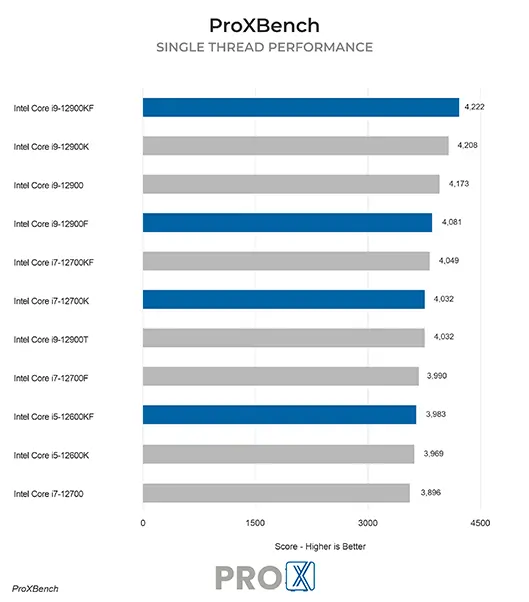
Like most Photogrammetry applications, a blend of CPU and GPU processing power is needed to get the best results in RealityCapture. We have found that the CPU has a bigger impact overall, and selecting the right model will save you money as well as give you great performance. On the video card side, a NVIDIA GPU is required in order to support CUDA – but we observed a modest difference between mid-range to high-end models. You can read more about both CPU and GPU performance in the articles linked to on the right.
Processing images to make point clouds and 3D models in RealityCapture can be a time-consuming task, but our workstations are designed to give you maximum performance and reliability.
