Ask anyone what hardware runs AI on a camera feed and you will usually hear one word: Jetson.
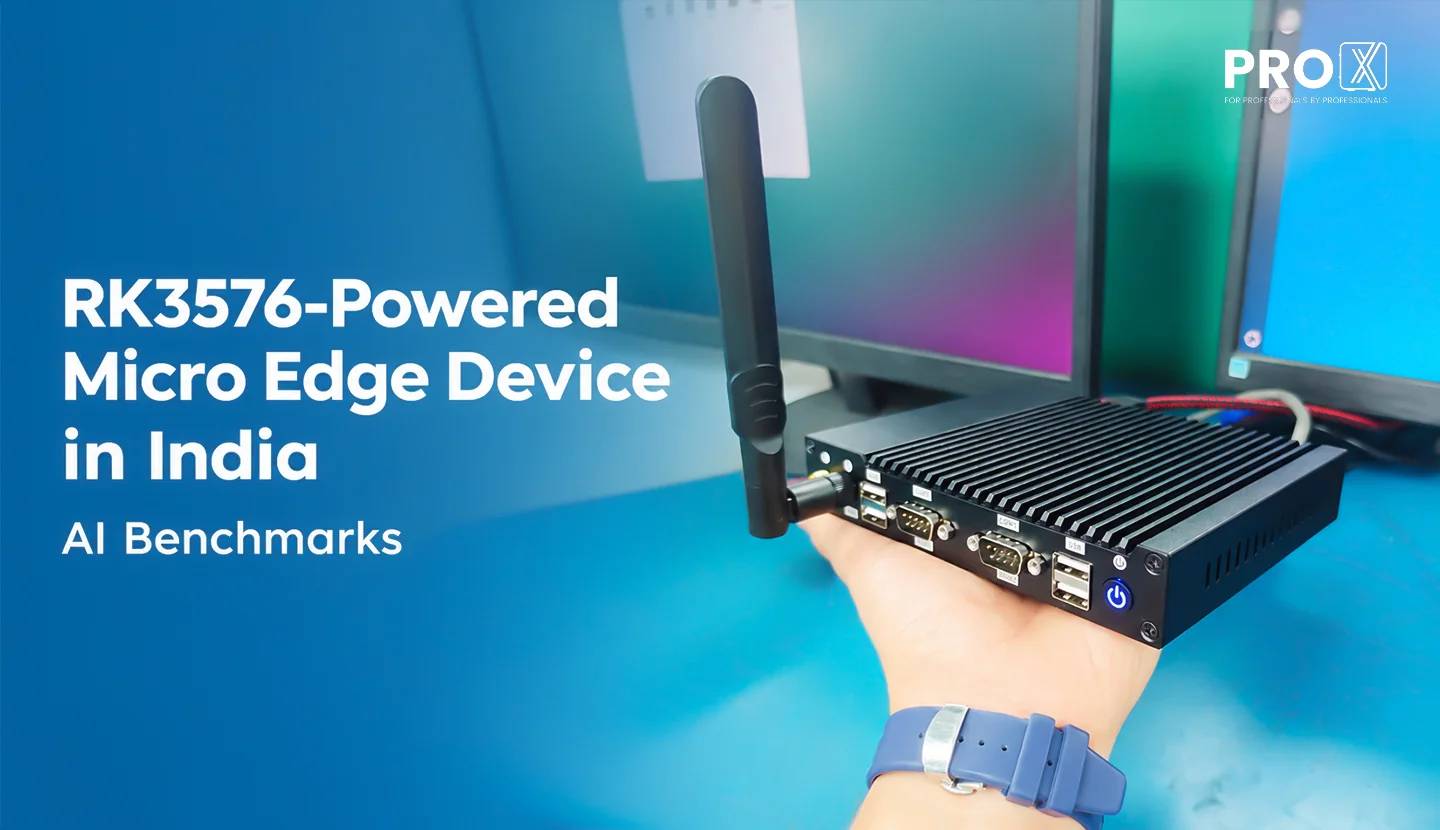
Ask anyone what hardware runs AI on a camera feed and you will usually hear one word: Jetson. Fair enough. NVIDIA built the default, and ProX PC builds its Pro Sentinel Orin and Pro Sentinel Thor devices on it for good reason.
A default is a starting point, though. It is worth checking whether your job actually needs it.
A lot of edge AI work is steady and modest. Counting people at a gate. Spotting a helmet on a shop floor. Checking a face at a turnstile. These jobs need a device that runs the same model all day, stays cool inside a panel, and makes sense to buy for 40 sites instead of 4.
That is the job the Pro Sentinel RK3576 was built for. It runs on a Rockchip RK3576 chip with an NPU, a neural processing unit, which is the part of the chip built only to run AI models. We put the shipping unit through a full benchmark: more than 20 vision model setups, seven language and vision-language models, and a 40 minute heat soak. Below are the numbers, where the device fits, and where a Jetson is still the better pick.
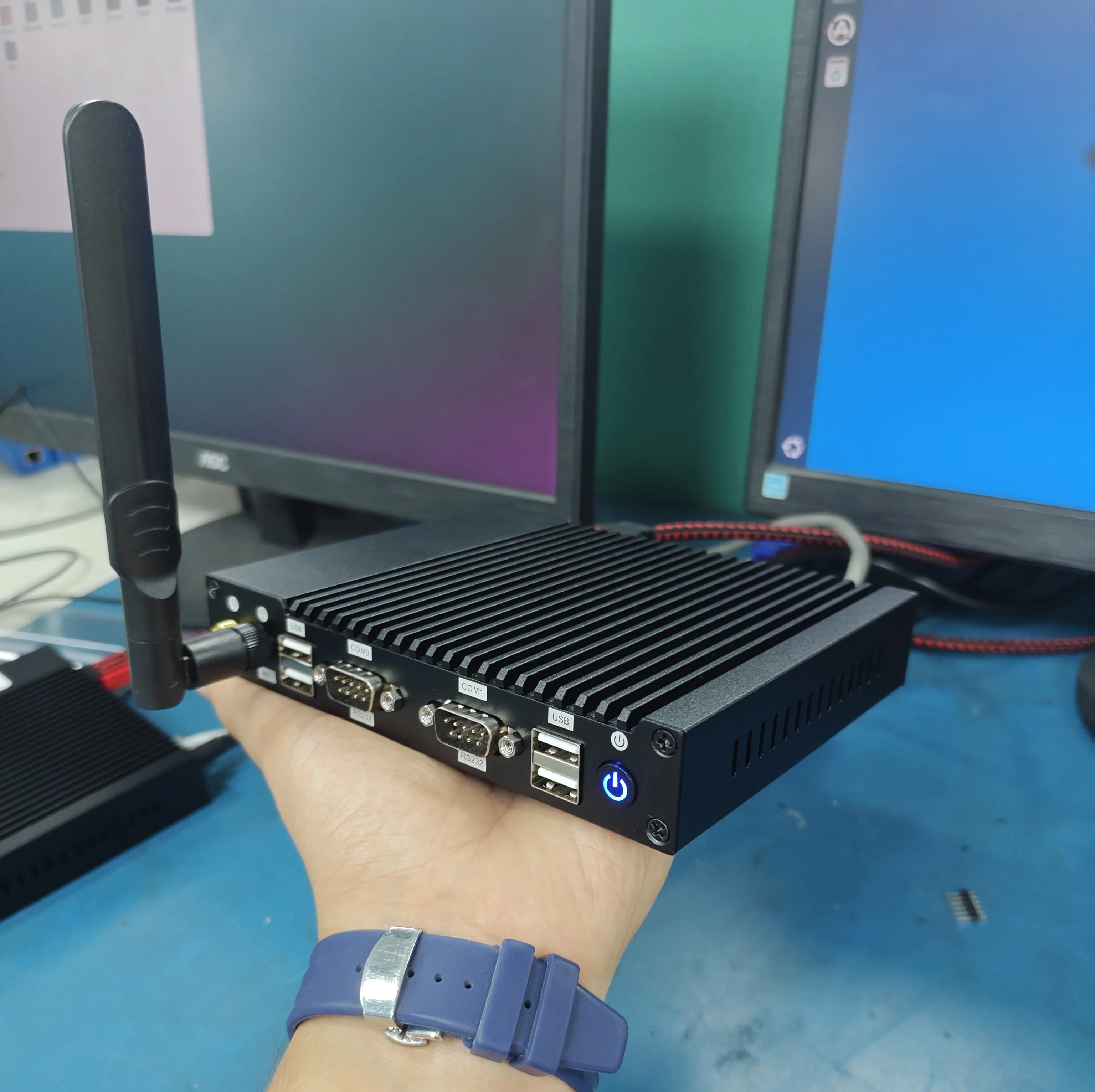
The short version: an 8 core ARM processor, a 6 TOPS NPU and 4 GB or 8 GB of memory in a fanless aluminium box only 28 mm thick. TOPS stands for trillion operations per second, a rough measure of how much AI math a chip can do.
| Part | Spec |
|---|---|
| Chip | Rockchip RK3576 |
| CPU | 4x Cortex-A72 at 2.2 GHz + 4x Cortex-A53 at 2.0 GHz |
| NPU | 2 cores, 6 TOPS (INT8) |
| GPU | Mali-G52 MC3, OpenGL ES 3.2, Vulkan 1.1 |
| Memory | 4 GB or 8 GB LPDDR5 |
| Storage | 64 GB onboard eMMC, M.2 2280 NVMe SSD slot, microSD slot up to 256 GB |
| Operating system | Ubuntu 22.04 (as tested), Debian 12 or Android 14 |
| AI software | RKNPU driver 0.9.8, rknn-toolkit2 2.5.0, RKLLM runtime 1.3.1, Ultralytics 8.4 |
| Size | 157 x 125 x 28 mm |
| Cooling | Fanless, all-aluminium chassis with a finned top heatsink |
| Power input | 9 V to 15 V DC (12 V, 2 A adapter included) |
| Operating temperature | -20 °C to 70 °C |
| Humidity | 0% to 95%, non-condensing |
| Mounting | Wall mount or built into a panel or kiosk |
Which memory should you pick? The 4 GB model covers vision work like detection, face recognition and segmentation. Choose 8 GB if you plan to run a language or vision-language model on the device, since a 4B model alone peaked at 3.7 GB of RAM in our tests.
Those eight CPU cores are two different teams. The four A72 cores are about 2.1x faster per core than the four A53 cores, so the heavy prep work around a model (resizing frames, sorting detections) belongs on the A72s. Our team can pin that work to the right cores during setup, so the fast cores do the fast jobs.
| Interface | Details |
|---|---|
| Ethernet | 2x Gigabit RJ45 |
| Wireless | Wi-Fi 6 (2.4 and 5 GHz), Bluetooth 5.0 |
| Cellular | Optional 4G LTE module, Micro-SIM slot |
| USB | 2x USB 3.0, 4x USB 2.0, 1x USB OTG |
| Display | 1x HDMI 2.1, up to 4K |
| Serial | 2x RS-232 (DB9), RS-485 optional |
| Audio | 3.5 mm headphone jack |
| Other | Real-time clock, scheduled power on and off, power button with indicator, firmware upgrade button, IR remote support |
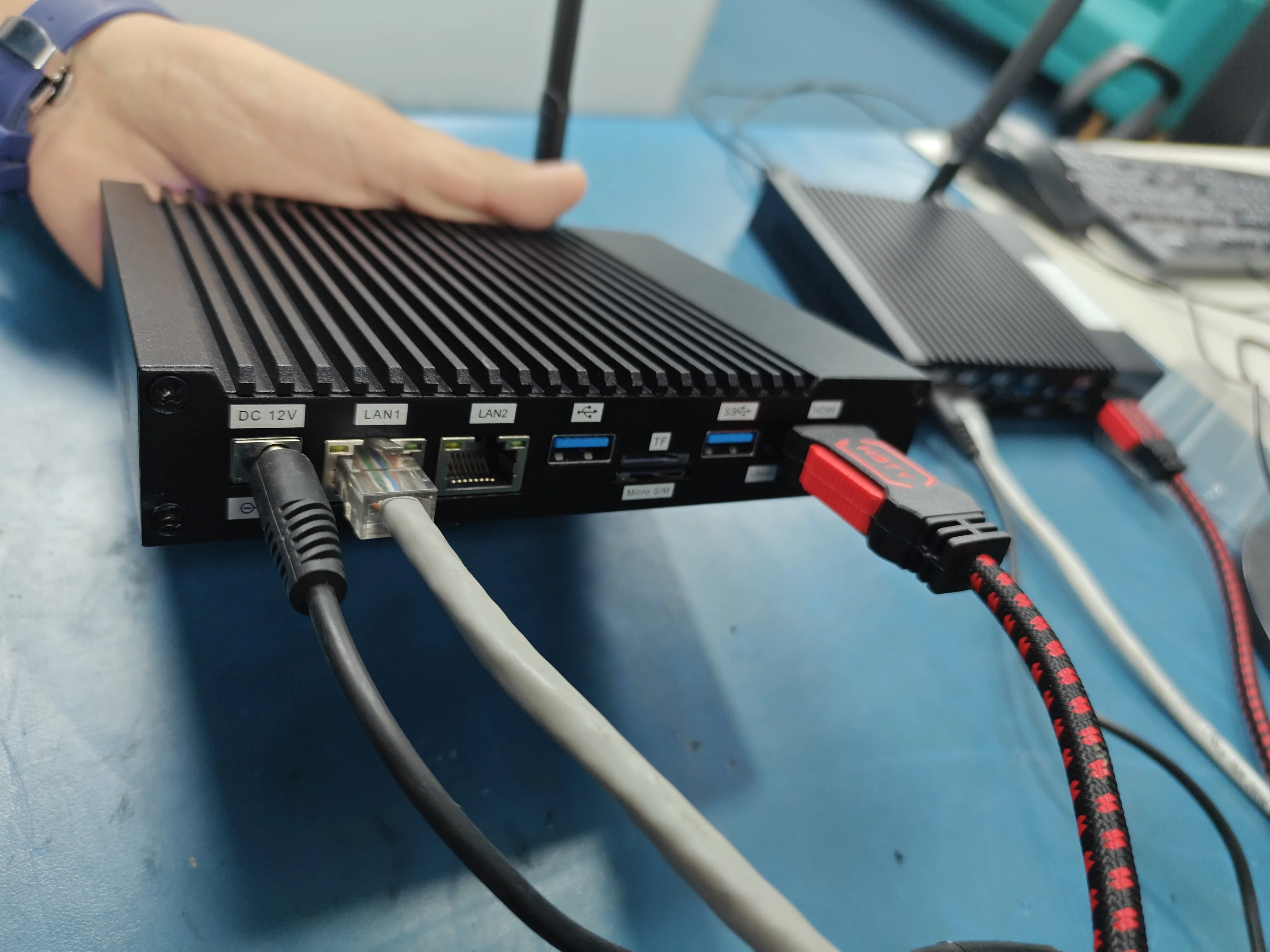
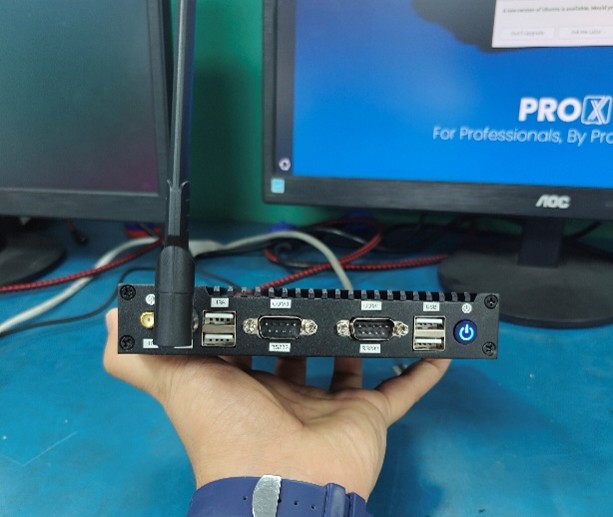
Each port maps to a real site problem. Two Ethernet ports let you keep the camera network separate from the office network. The serial ports talk to PLCs, sensors and controllers, the equipment many factory lines still run on. And the 4G option covers yards, fuel stations and remote sites where nobody ever laid a cable.
Start with the model, then pick the box. Most teams do it the other way round, buy the biggest spec on the sheet, and later find out their people-counting model uses a fifth of it. That is the hardware version of renting a 3BHK because you might get a dog someday.
Here is what the RK3576 handles, grouped by how it feels in use. Real-time here means 25 frames per second or more for vision, and 7 tokens per second or more for text, which is roughly reading speed.
| Workload | Real-time | Usable | Runs, but slow |
|---|---|---|---|
| YOLO object detection (INT8, 640x640) | Nano and small models, up to 11M parameters | Medium and large models, 13 to 23 FPS | Extra-large models, 6 to 8 FPS |
| Segmentation and pose | YOLO11n-seg, YOLO11n-pose, YOLO11s-seg | ||
| Classification and face detection | MobileNetV2, ResNet-50, RetinaFace at 130 to 390 FPS | ||
| Text LLM | 0.6B to 1.7B models, 7.9 to 15.8 tokens/s | 4B models, 3.9 tokens/s | |
| Vision-language model | 2B to 3B models, 5 to 6.5 tokens/s | 4B models, 3.5 tokens/s |
If your workload sits in the first two columns, this device is a good fit. If most of it sits in the last column, or your model is still growing, look at the Pro Sentinel Orin range instead.
One number shows why the NPU matters. The same YOLO11n model takes about 999 ms per image on all eight CPU cores and 71 ms on the NPU. Across the YOLO models we tested, the NPU was up to 29 times faster than the CPU.
YOLO11n runs at 62.9 FPS and YOLOv8n at 65.9 FPS. We exported all ten sizes of YOLO11 and YOLOv8 on the device itself and ran them on the NPU at 640x640.
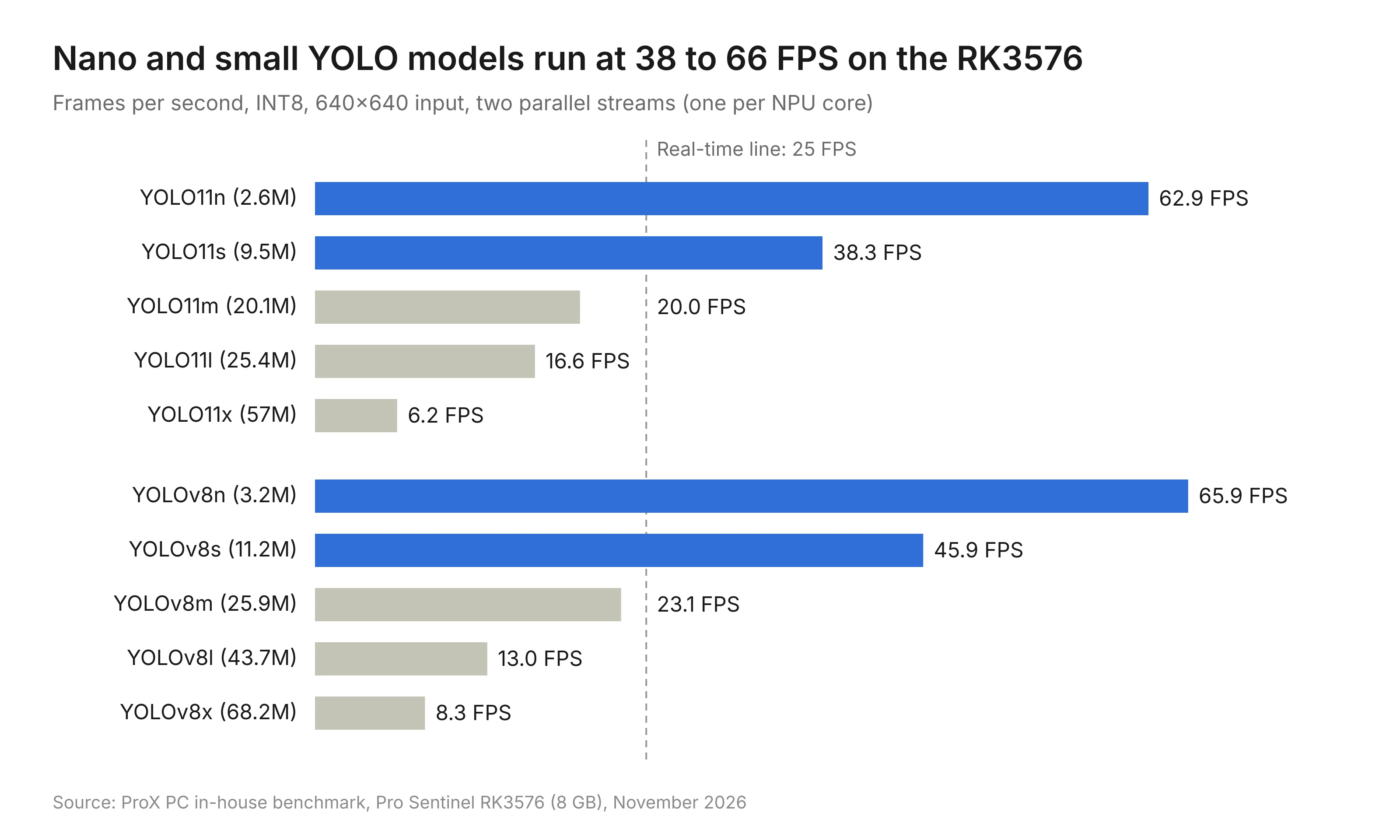
ProX PC RK3576 benchmark report, 11 Nov 2026 · 10 YOLO models, INT8
In practice, that 63 to 66 FPS covers 4 to 6 cameras of person or vehicle detection at 10 to 15 FPS each. A single camera doing precision inspection with YOLO11m gets 16 to 20 FPS. Leave some CPU time for video decoding; these are NPU figures.
Three things decide how fast your model runs here.
Use INT8. INT8 is a compressed version of the model that stores numbers in 8 bits instead of 16. It ran 1.7x to 2.3x faster than FP16 at every size.
Accuracy holds up. INT8 kept 96% to 98% of full-precision accuracy on the COCO128 test set, even with the default 4-image calibration. Calibrating on 100 to 500 frames from your own cameras tightens that further. FP16 kept 99% to 100%, if every last point of accuracy matters more than speed.
Run one stream per NPU core. The NPU has two cores. Giving each core its own camera stream delivered 1.3x to 1.9x more total FPS than splitting one stream across both, for models up to about 45M parameters.
Yes, and all nine models we tested ran in real time. Every one of them ran fully on the NPU, with zero layers falling back to the CPU. That matters more than it sounds: one unsupported layer can drag a whole model back onto the slow cores, like one late vendor holding up an entire project.
| Model | Task | Input | Throughput (2 streams) |
|---|---|---|---|
| MobileNetV2 | Image classification | 224x224 | 388 FPS |
| RetinaFace (mobile) | Face detection | 320x320 | 340 FPS |
| ResNet-50 v2 | Image classification | 224x224 | 132 FPS |
| YOLOv8n-OBB | Rotated box detection | 640x640 | 79 FPS |
| YOLO11n-pose | Pose estimation | 640x640 | 56 FPS |
| PP-YOLOE-s | Object detection | 640x640 | 48 FPS |
| YOLOv5s | Object detection | 640x640 | 48 FPS |
| YOLO11n-seg | Instance segmentation | 640x640 | 47 FPS |
| YOLO11s-seg | Instance segmentation | 640x640 | 32 FPS |
A few terms, quickly. Segmentation outlines the exact shape of each object instead of drawing a box around it. Pose estimation finds body joints, useful for fall detection or checking if a worker is bending the wrong way. Rotated boxes (OBB) fit objects that sit at an angle, like parked vehicles in a drone shot.
For access control, pairing RetinaFace with a MobileNet or ResNet recognition model gives you more than 100 FPS combined, which is plenty for a busy entry gate.
Yes, small ones, fully offline. Qwen3-1.7B generates 7.9 tokens per second, about the pace you read at. A token is a chunk of a word, roughly three quarters of one on average.
We ran the models with Rockchip's RKLLM runtime in W4A16 format, which shrinks the model weights to 4 bits so they fit in memory and run on the NPU.
| Model | Type | Generation speed | Time to first word | Peak RAM |
|---|---|---|---|---|
| Qwen3-0.6B | Text | 15.8 tokens/s | 0.75 GB | |
| Qwen3-1.7B | Text | 7.9 tokens/s | 1.36 GB | |
| Qwen3-4B | Text | 3.9 tokens/s | 2.54 GB | |
| Qwen3-VL-2B | Image + text | 6.5 tokens/s | 4.8 s | 2.36 GB |
| Qwen2.5-VL-3B | Image + text | 5.1 tokens/s | 7.0 s | 3.30 GB |
| Qwen3-VL-4B | Image + text | 3.5 tokens/s | 7.7 s | 3.70 GB |
The image + text models are vision-language models, or VLMs: you show them a picture and ask a question about it. We gave them a test image of an astronaut on the Moon. All three identified the astronaut, the lunar surface, Earth in the background and a green bottle in the scene. Qwen3-VL-4B gave the most detailed answer; Qwen3-VL-2B gave the best balance of speed and quality.
The largest model peaked at 3.7 GB of RAM, under half of the 8 GB on board. So a 4B model fits with room to spare, though 2B to 3B models are the practical pick when someone is waiting on the answer.
What this unlocks: a kiosk assistant that answers questions without internet, a camera that writes a one-line description of what it saw, or a voice bot that keeps every conversation on the premises.
It did not throttle once in our tests. Throttling is when a chip slows itself down to cool off, and it is the quiet reason many edge devices look great in a demo and sag by the end of a shift.
That result started long before the benchmark. During development, our team ran R&D on the heatsink itself, building and testing more than one design to find the one that pulls the most heat out of this chip. The final build is a fanless, all-aluminium chassis with a finned top and side vents that set up a natural airflow path. No fan means no moving part to clog with dust or fail at 3 am, which matters on a factory floor or inside a sealed kiosk. The device is rated for -20 °C to 70 °C.
We ran a 40 minute soak: 30 minutes of YOLO11m on both NPU cores, then 10 more minutes with all eight CPU cores pinned at 100% on top of that.
| Measure | Result |
|---|---|
| Peak temperature | 53.6 °C (first throttle point is 75 °C) |
| Headroom before throttling | About 21 °C |
| FPS change, first minute vs last minute | 18.1 to 17.5 FPS, a 3.6% dip |
| NPU clock under load | Held at its 950 MHz maximum the whole time |
| Inferences run | 44,106 |
| Errors or driver resets | 0 |
Here is the odd part. When we maxed out the CPU, NPU throughput went up, from 17.9 to 19.7 FPS. Under full load the fast CPU cores stayed locked at top speed, so they fed frames to the NPU faster. On a production unit, we can set the CPU to that steady mode from day one.
These results were measured at room temperature. If your device will sit in a sealed cabinet or a site that regularly runs above 40 °C, tell us and our team will help you test for those conditions. With about 21 °C of headroom before the first throttle point, there is plenty of margin to work with.
Pick the RK3576 when your models are already known and modest. Pick a Jetson based Pro Sentinel when the models are large, still changing, or built around CUDA, NVIDIA's own software platform.
| Choose Pro Sentinel RK3576 if | Choose Pro Sentinel Orin or Thor if |
|---|---|
| You run nano or small YOLO models, face detection or classification | You run large YOLO models, transformers or several heavy models at once |
| You need 4 to 6 camera streams per device | You need many high-resolution streams per device |
| A 1B to 3B language model covers your chat or captioning needs | You need 7B+ language models or fast vision-language answers |
| You are rolling out to many sites with the same model | You are still experimenting and swapping models every week |
| Your models can be converted to Rockchip's RKNN format | Your pipeline depends on CUDA, TensorRT or other NVIDIA tools |
TOPS on a spec sheet is like engine power on a delivery scooter. Past the point where your model runs in real time, the extra is headroom you pay for and rarely use. The Pro Sentinel Orin Nano offers up to 67 TOPS; the RK3576 offers 6. For a people counter running YOLO11n at 63 FPS, those extra TOPS buy very little.
If your needs sit above the RK3576, the next step depends on the job. The Pro Sentinel Orin NX handles more cameras and sites with no wired network. The Pro Sentinel AGX Orin suits robots, factory lines and multi-sensor systems. And for large vision and language models across many streams, our guide to the custom-built Jetson AGX Thor and T4000 edge computer explains how to pick between the two Thor modules.
The real difference is software, and it is smaller than it looks. Jetson runs models built for CUDA, NVIDIA's software platform, with little change. The RK3576 runs models in RKNN format, Rockchip's own format for its NPU. So a model you trained on an NVIDIA GPU needs one conversion step before it runs here.
That step is well trodden. Rockchip maintains an open RKNN toolkit and model zoo with conversion tools for PyTorch, ONNX and TensorFlow models, plus ready-to-run versions of popular models like YOLO, RetinaFace and ResNet. Most of the models in this post came straight through that path. And you never have to touch it yourself, which brings us to the next section.
Fair question, and the honest answer is: it depends on setup. So we do the setup for you. Every number in this post came from a unit our team configured, and we configure yours the same way before it ships.
Here is what that covers:
The full AI stack: RKNPU driver, rknn-toolkit2, rknn-toolkit-lite2, the RKLLM runtime and Ultralytics, installed and version-matched.
Model conversion: if your model was built and trained for CUDA on an NVIDIA GPU, we convert it to RKNN format using Rockchip's toolkit and model zoo, then check that it runs fully on the NPU. You hand us the model; it comes back ready to run.
INT8 calibration on your data: we calibrate with frames from your own cameras, which is how you get speed without giving up the accuracy you need.
Tuning: pre and post-processing pinned to the fast cores, and the CPU set to a steady mode for consistent FPS.
Extras on request: the Mali GPU driver if your application needs GPU display or OpenCL.
Version matching sounds boring until it bites. In our own testing, a community build of Qwen2-VL-2B loaded fine, read the image, then crashed at the language step. The cause: it was converted with an older RKLLM toolkit than the runtime on the device. Re-converting with the matching toolkit version should fix it. This is exactly the kind of afternoon we would rather spend for you.
If you have a model in mind and want to know whether it will run, and how fast, send it to us. Our team will tell you before you buy.
It is rated at 6 TOPS for INT8 math, split across two NPU cores. In our tests that was enough for YOLO11n at 62.9 FPS and face detection at 340 FPS.
About 4 to 6 cameras of person or vehicle detection at 10 to 15 FPS each, using a nano YOLO model in INT8.
Yes. Models from 0.6B to 1.7B parameters run at 7.9 to 15.8 tokens per second, and 4B models run at about 3.9 tokens per second, all on the device.
Most vision models will, including ones built for CUDA. They need one conversion to RKNN format through Rockchip's open toolkit. Our team does that conversion for you and confirms the model runs fully on the NPU before the device ships.
In a 40 minute full-load test it peaked at 53.6 °C with zero throttling and zero errors across 44,106 inferences.
The Pro Sentinel RK3576 comes in 4 GB and 8 GB variants. Pick 8 GB if you plan to run language or vision-language models on the device.
2x Gigabit Ethernet, 2x USB 3.0, 4x USB 2.0, USB OTG, HDMI 2.1 up to 4K, 2x RS-232 (RS-485 optional), Wi-Fi 6, Bluetooth 5.0 and an optional 4G LTE module.
It is rated for -20 °C to 70 °C and runs on 9 V to 15 V DC, with a fanless chassis that suits dusty or enclosed sites.
When you need large models, 7B+ language models, many high-resolution streams, or a pipeline built on CUDA and TensorRT. Our Pro Sentinel G range covers those workloads, from Orin Nano up to Thor.
If your use case sits in the real-time column of this post, the Pro Sentinel RK3576 is likely the more sensible buy. If you are unsure, send us your model, camera count and target FPS. Our team will tell you which Pro Sentinel fits, and set the software up for you either way.
Call us at 011-40727769 or explore the full Pro Sentinel edge computing range on the ProX PC website.
Resources you may find helpful.
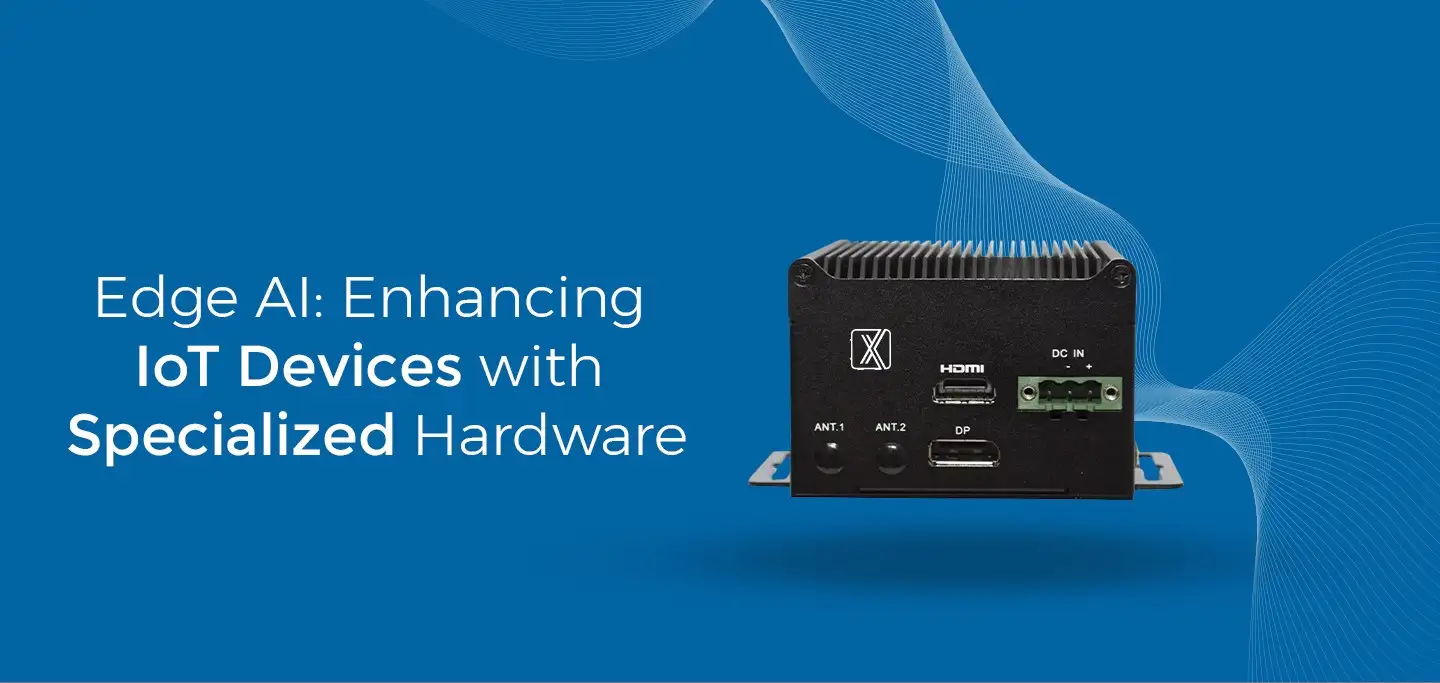
Edge AI is a technology that makes Internet of Things (IoT) devices smarter by incorporating specialized hardware for processing data locally.
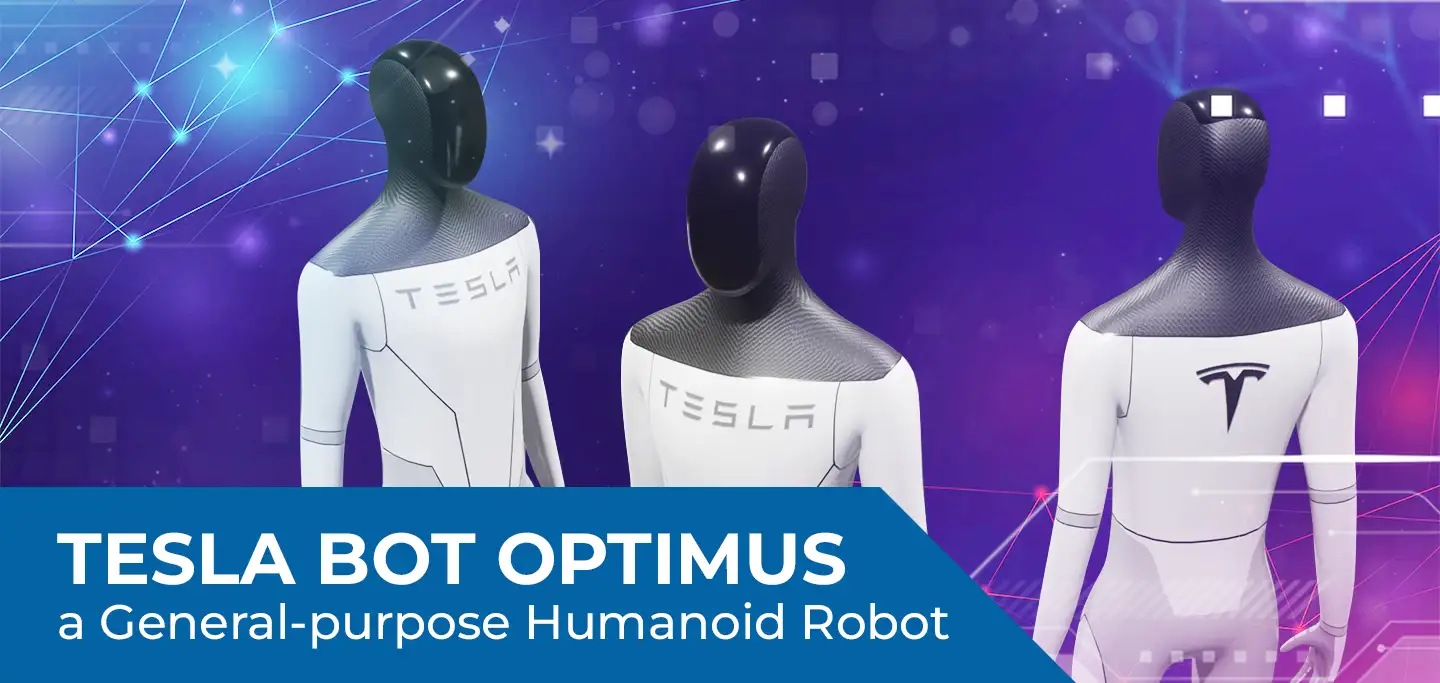
Startups around the real world are developing Artificial Intelligence (AI)-based robots with different purposes, and they mainly focus on social interaction.
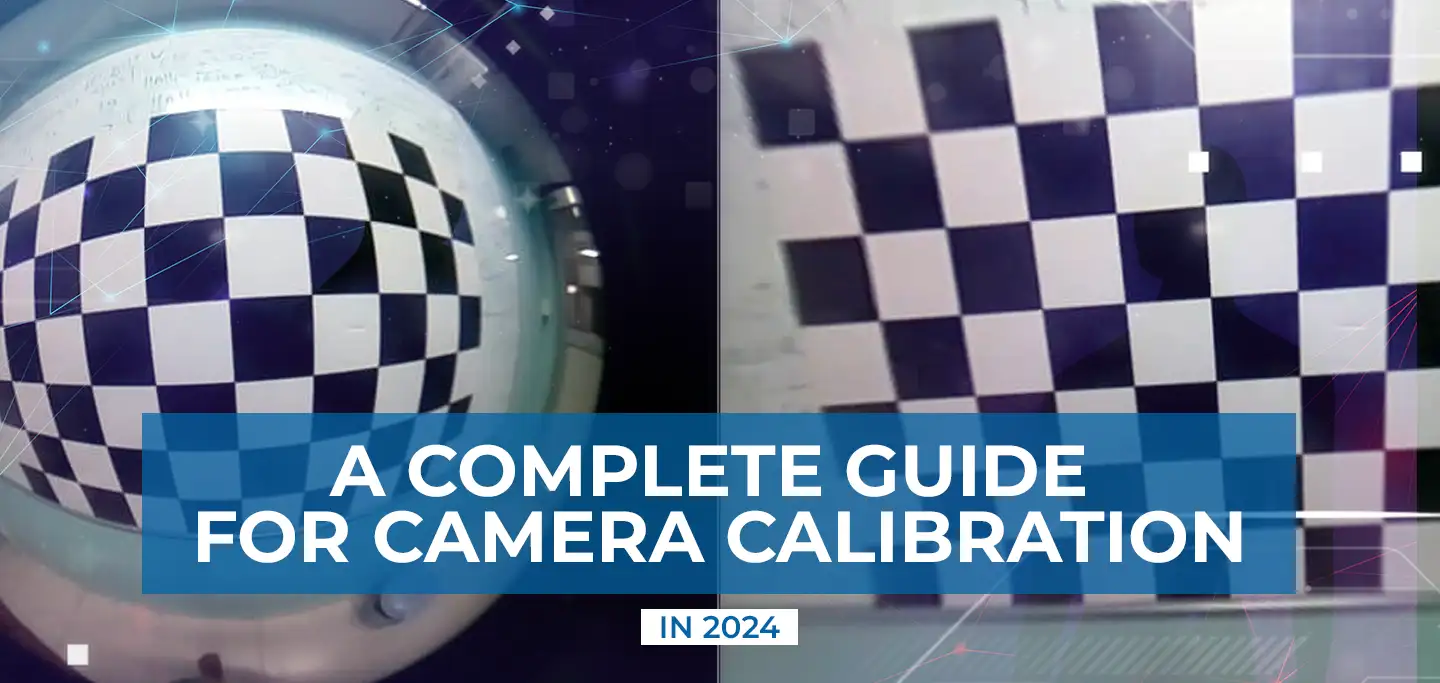
Humans are capable of looking at these 2D images and intuitively inferring the 3D world.
The study panel summarized the current progress and envisioned future advancements in the areas of AI and home robots.